
Hai purchased the Vienna City Card online and you want to know how to activate it?
If you purchased the Vienna City Card on circuits such as Tiqets or GYGor other platforms, you should have received an electronic voucher with a QR code and instructions on how to activate it.
In this article I will tell you about how to redeem and activate the Vienna City Card (via smartphone or PC) after online purchase.
Let's see together how to do it, step by step.
How to activate the Vienna City Card via app on a smartphone
Access the site www.viennacitycard.at or download the app 'ivie - Your Personal Vienna Guide' (available for iOS or Android).
- Open the application
- Click the 'menu' button
- Choose the 'City Card' option
- Click on 'Redeem Coupon
- Enter your 8-digit code from the booking voucher
- Click on 'Redeem'

- Your Vienna City Card will appear on your smartphone
- You will see a price of 0.00€ since you have already made the payment previously
- Enter your name, email address and address
- Tick the consensus boxes
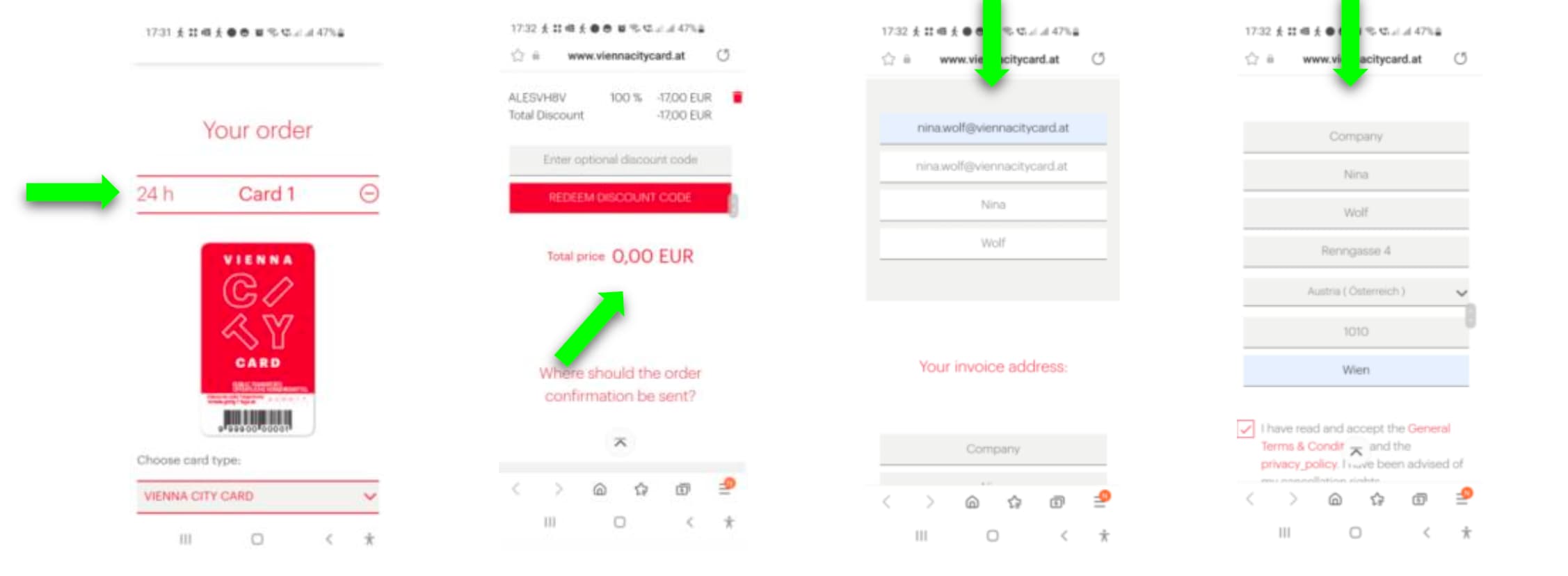
- Click on 'BUY NOW' (no payment will be processed)
- You will find the confirmation of acquisition of the tourist card
- Click on "Activate Vienna City Card now", choose "App ivie - Vienna Guide" and make sure that your name and e-mail address are spelled correctly.

- Enter the date when you will arrive in Vienna
- Please note: it is no longer possible to change the date and period once the ticket has been activated.

- Check the dates and periods you have chosen and personalise your card with your name and date of birth.
- Once all data are correct, click on 'activate now irrevocable'.
- You can now transfer your card within your ivie app by entering the ticket number or clicking on the link.

- If you click on the link below your ticket number, the ticket will automatically be loaded onto your smartphone.
If you wish, you can also add your Vienna City Card manually.
- Open the ivie app on your smartphone and follow these steps

Now you can select your travel card and your discount' card to be displayed directly on your smartphone.

How to activate the Vienna City Card on a PC
- To activate the Vienna City Card via PC, go to this site.
- Enter the 8-digit code on the voucher in the space provided on the site.

- Proceed with activation following the instructions within the website (the procedure is similar to the one shown above for smartphone activation).
Photos of Michal Jarmoluk from Pixabay


2 Comments.
Dear Sirs or Madam's,
I bought via internet 'Vienna city card as printing at home version'. Shall I also activate it after arrival?
My printing already shows date of
starting as 08 Oct 7:00.
May I use the card.for City Airport Train?
Your confirmation is really appreciated.
Beat regards,
Kumiko Tamara
Dear Kumiko,
Unfortunately, it is not possible to use the card for transportation to and from the airport.
Here are instructions for activating the Vienna City Card:
HOW IT WORKS.
- You will receive your voucher via email within 2 business days
- Open the voucher and follow the instructions
- Enter the code(s) beginning with "73..."
- You decide the day and time to have the Card activated
- Select the type of ticket desired: print@home or ticket app
ACTIVATION
Activate your Vienna City Card by following the instructions on the confirmation voucher:
- Open the link on the voucher
- Enter the activation code shown on the voucher (one for each Card)
Enter your data
- Choose day and time of activation. Please note they are not editable after confirmation
- Choose whether to receive the Cards to print from the comfort of your home or download the Vienna app
Kind regards,
Andrea